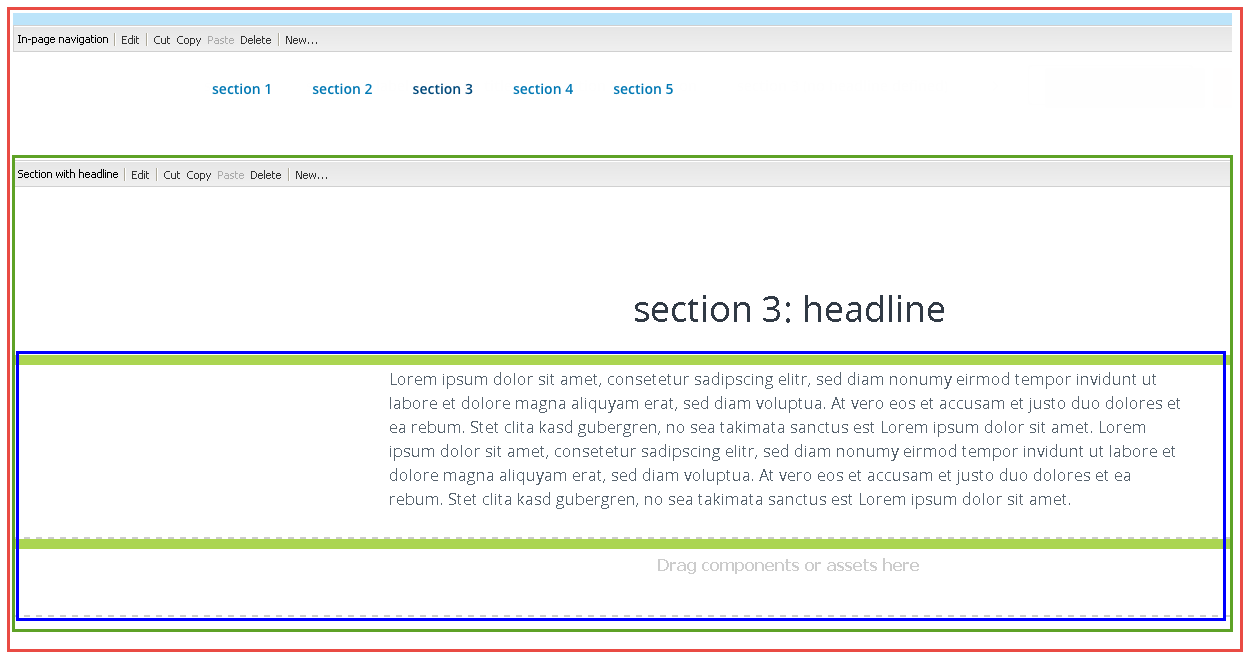

Section With Headline component
divide the page into linkable sections
- create headlines
- use section titles in the In-page Navigation

The Section With Headline component is used to create a headline and to divide a page into areas that can be linked to. It is usually used together with the In-page Navigation component that creates a sticky navigation of all created Section With Headlines.
Introduction
The Section with Headline component goes hand in hand with the In-page Navigation component as they can only use their full functionality when used together. The idea behind a section is, to divide a page into blocks (sections) that can be directly navigated to or automatically scrolled to via links. These links can be on the page itself (e.g. in the In-page Navigation or a Hero component) or on a different page via e.g. a Link component. You could also call this deep-linking. To find the sections on a page, each section must have a unique ID (within the page), also called anchor. In order to display the sections in the In-page Navigation, an additional section title must be added.
Glossary:
CMS settings
tab: General
In the tab General, the Headline Importance (H1-H6), the Section ID and the Section Title are set.
tab: Spacing
Front-end
The headline is rendered as a h1-h6, aligned center:
Headline h1
Headline h2
Headline h3
Headline h4
Headline h5
Headline h6
A headline with checked bordered field:
Bordered Headline
Section title in the In-page Navigation component:

Step by step
1
2
3